If everything counts as urgent, you end up doing nothing but firefighting. The Eisenhower matrix separates what matters from what is loud.
- What for
- Prioritize tasks and decide what gets dropped
- When
- At the start of the week, when overloaded, before bottlenecks
- Who
- Individuals or a team with a shared task list
- Result
- Four fields, each with one clear action
What is the Eisenhower matrix?
The matrix is named after former US president Dwight D. Eisenhower. The distinction between important and urgent is attributed to him. The two terms mean different things:
- Important is whatever moves the project goal forward.
- Urgent is whatever has a near deadline or someone is waiting for.
The two questions produce four fields:
- Important and urgent: do it yourself, right away.
- Important, not urgent: schedule it with a fixed date. This is where the biggest value is created.
- Urgent, not important: delegate or batch it.
- Neither: deliberately leave it out.
When is the Eisenhower matrix worth it?
- For weekly planning, when there is more to do than time available.
- When a team gets many requests and everything sounds equally loud.
- When important topics keep getting pushed back.
For the scope of a whole project, the MoSCoW method is a better fit. It prioritizes requirements instead of ongoing tasks.
Step by step
- Collect tasks. Write down everything coming up in the next one to two weeks.
- Check importance. Does the task move the project goal forward? The yardstick is the goal, not the noise.
- Check urgency. Is there a deadline in the next few days, or is someone waiting for it?
- Sort. Every task goes into exactly one field.
- Act. Do field one today, schedule field two, hand over field three and drop field four.
- Repeat weekly. What is important but not urgent today will soon become urgent otherwise.
Example: website relaunch
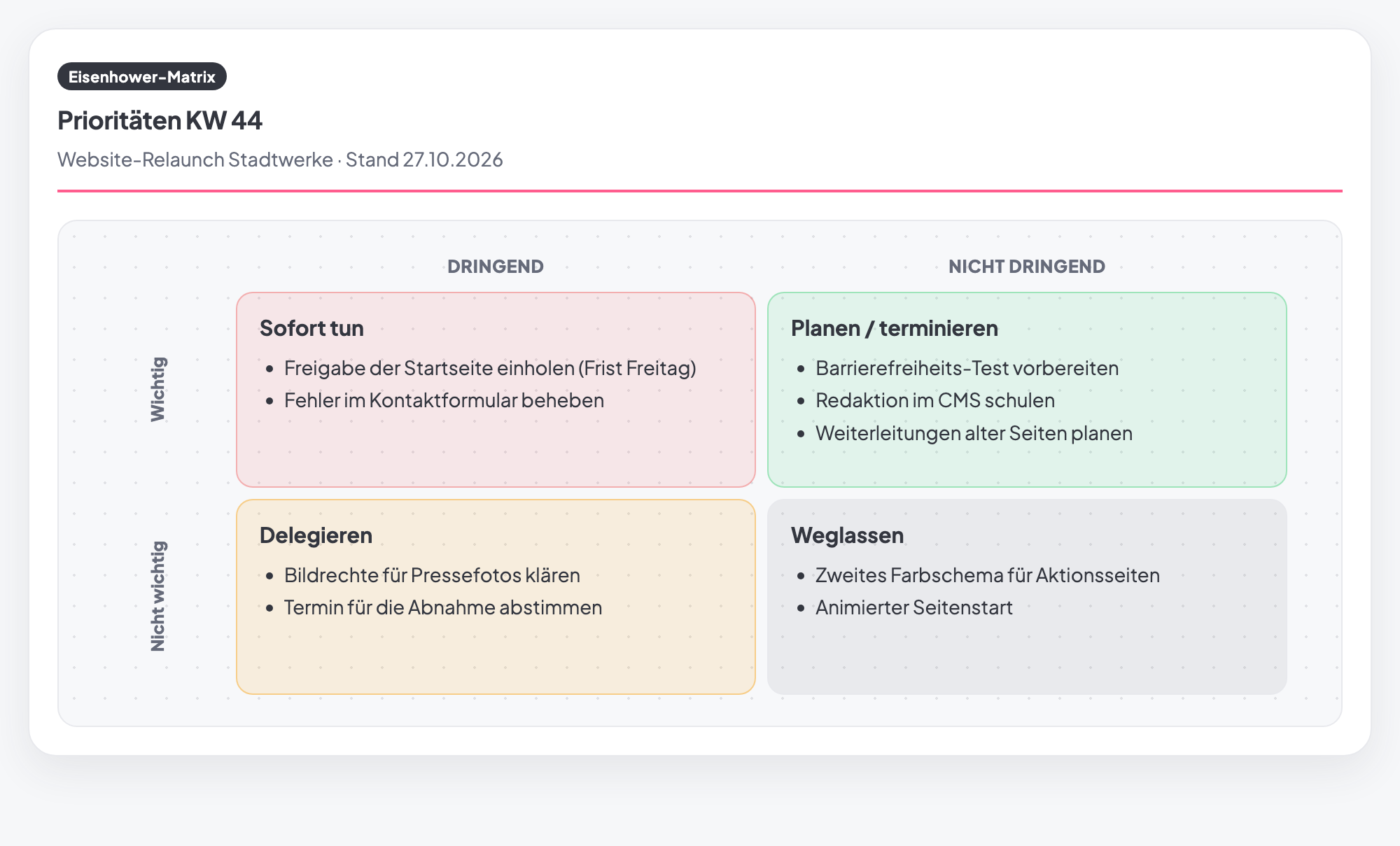
In the image above, the team sorts the tasks of one week before go-live:
- Do now: get the homepage approved, because the deadline is Friday. And fix the bug in the contact form.
- Schedule: prepare the accessibility test, train the editors in the CMS and plan the redirects for old pages.
- Delegate: clear the image rights and agree on a date for the acceptance meeting.
- Drop: a second color scheme and an animated page intro.
The redirects are a typical field-two topic. Left undone, they turn into an emergency shortly before go-live.
Typical mistakes
- Everything is urgent. Then the matrix is just a colorful list.
- Forgetting field two. Important work without a date never gets done.
- Delegating without a handover. Whoever takes over needs a clear result and a deadline.
- Dropping things without saying so. Anyone waiting for something should learn that it is not coming.
- Sorting only once. Priorities change every week.
Eisenhower matrix in Tasktopus AI
- Fill in on your project: four lists, from “Important & urgent – do now” to “Neither – drop”. Everyone in the project sees the current state.
- Print as a sheet: The “Sheet” view shows the classic four-field matrix with urgent and not urgent, important and not important.
- Quick to find: In the method picker, the matrix sits under “Prioritization & Decision”.
- Plan: Pro and up. Included in the 14-day trial.
Try the Eisenhower matrix on your project
Pro and up, included free in the 14-day trial. No credit card, no installation.
Start for freeFrequently asked questions
Where does the name Eisenhower matrix come from?
It is named after former US president Dwight D. Eisenhower. The distinction between important and urgent is attributed to him. It became known as a matrix later, through books on time management.
What is the difference from the MoSCoW method?
The Eisenhower matrix sorts ongoing tasks by important and urgent. The MoSCoW method defines which requirements belong in the project at all.
What belongs in the “delegate” field?
Tasks that need to get done, but where you are not the right person. What matters is a clear handover with a defined result and a deadline.
Is the Eisenhower matrix included in the free Starter plan?
No, it is one of the Pro methods. During the 14-day trial you can try all 102 methods for free.