
Fill in on your project
Pick a method, give it a title, fill it in. The method lives on the project, not in a folder. Everyone in the project sees the current state.
Proven methods explained step by step, each with an example, typical mistakes and answers to common questions. In Tasktopus AI you fill them in right on your project instead of hunting for templates.
Twelve methods that help in almost every project. Each guide follows one running example: a website relaunch.
 Pro and upAnalysis
Compare strengths, weaknesses, opportunities and threats, then turn them into actions.
Guide with example →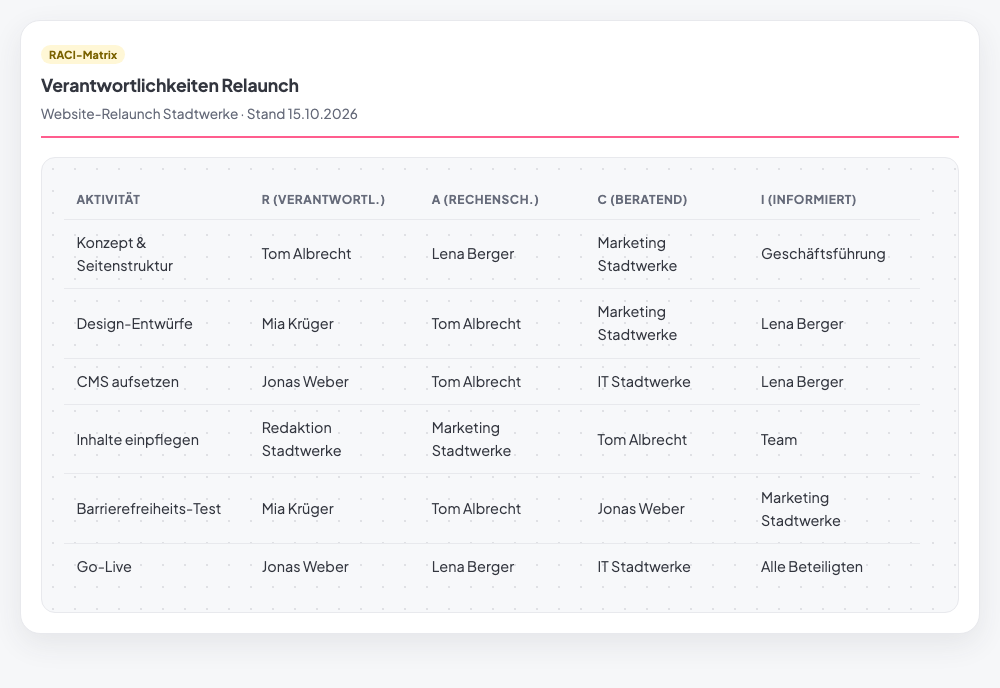 Free in StarterTeam
Clarify for every task who does the work, who is accountable, who advises and who is kept informed.
Guide with example → Free in StarterAnalysis
Identify everyone involved, rate them by influence and interest, and involve them the right way.
Guide with example →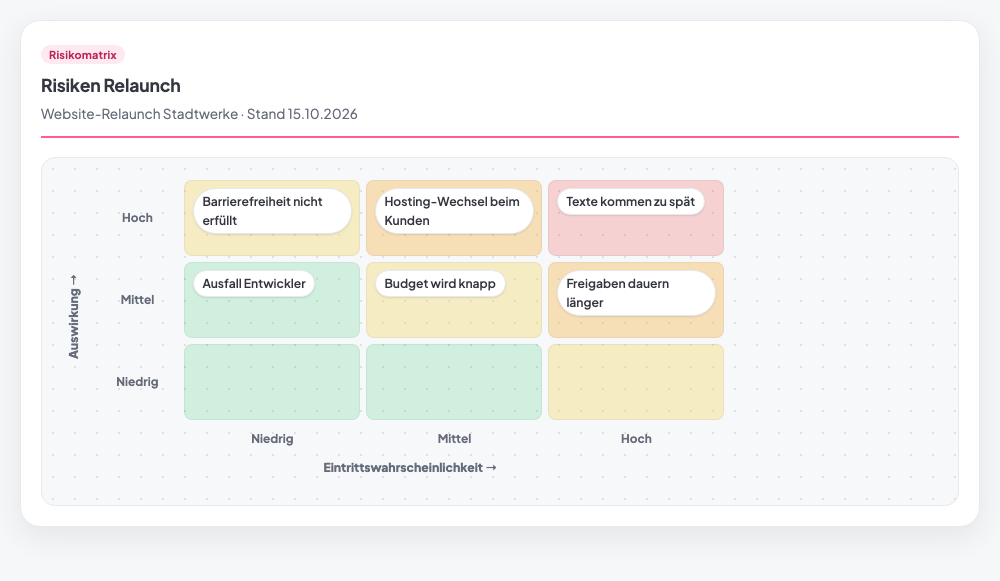 Free in StarterRisk
Rate risks by probability and impact and tackle the most important ones first.
Guide with example →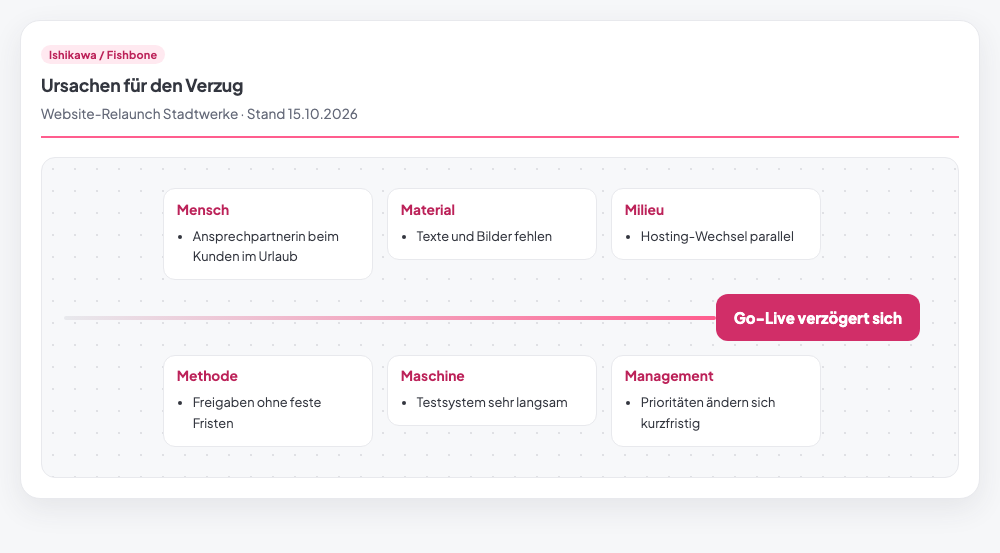 Pro and upAnalysis
Sort the causes of a problem by the 6 Ms instead of stopping at the first explanation.
Guide with example →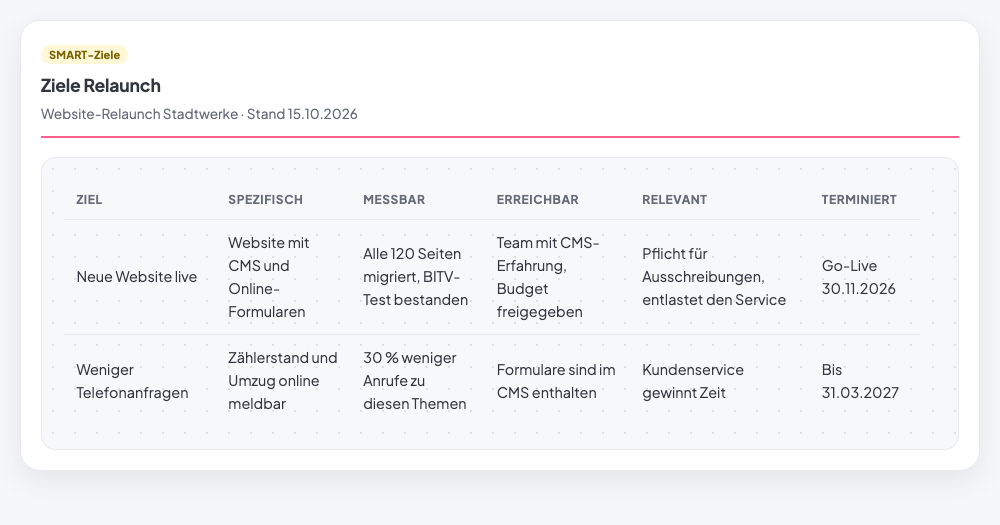 Free in StarterPlanning
Write goals that are specific, measurable, achievable, relevant and time-bound.
Guide with example →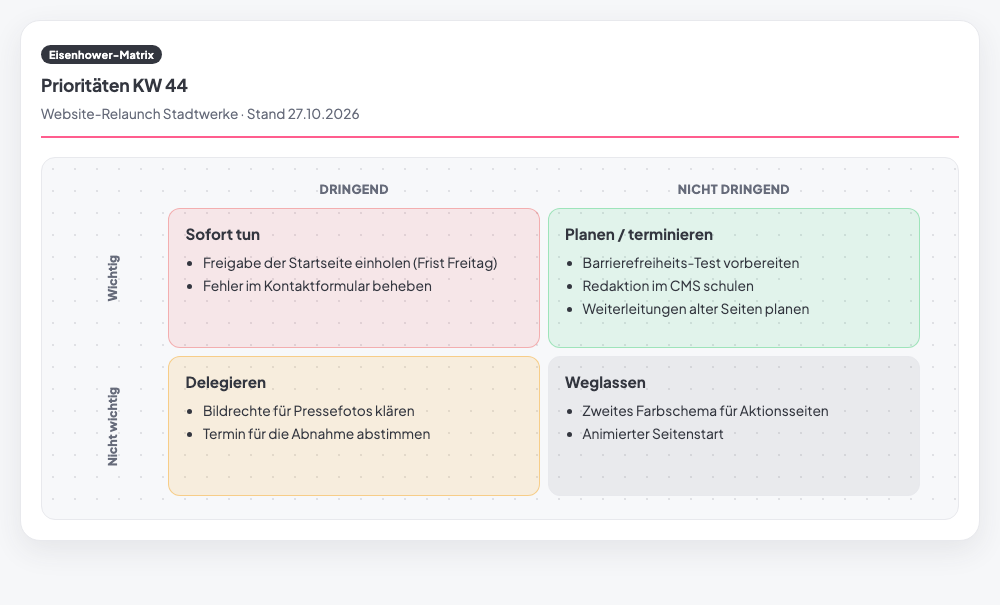 Pro and upPrioritization
Sort tasks by important and urgent and set one clear action for each.
Guide with example → Free in StarterPlanning
Break the whole project down into subtasks and plannable work packages.
Guide with example →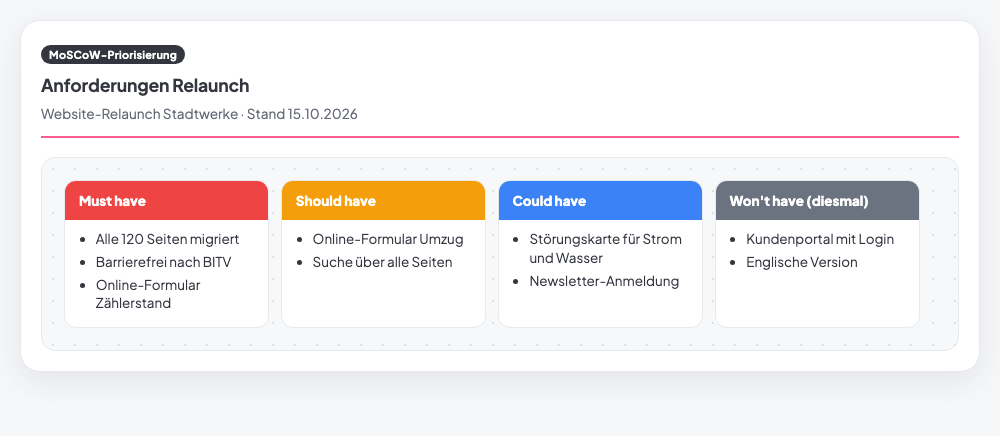 Free in StarterPrioritization
Divide requirements into Must, Should, Could and Won't and clarify the scope.
Guide with example →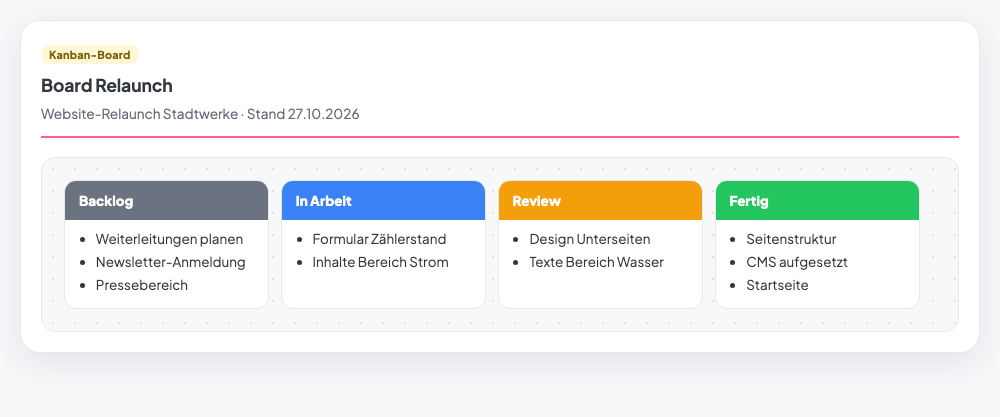 Free in StarterPlanning
Show tasks as cards in columns, limit work in progress and spot bottlenecks.
Guide with example →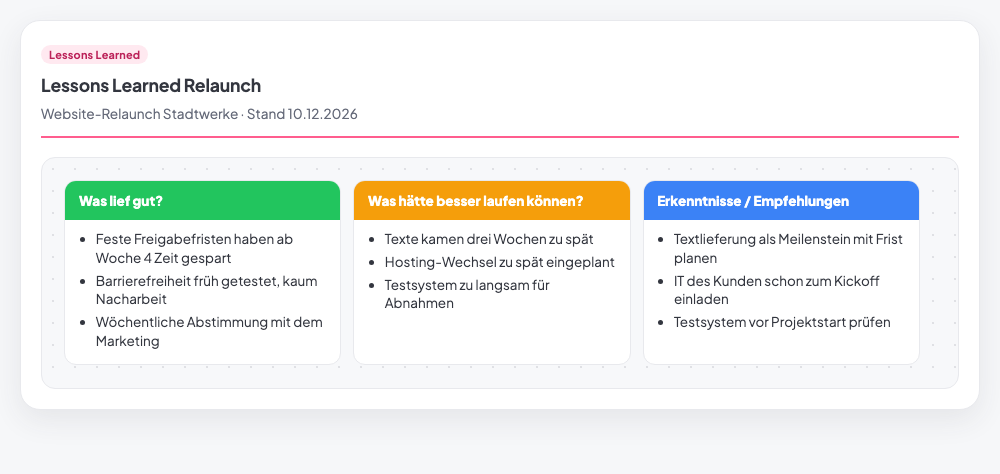 Free in StarterClosing
Capture what you learned at project end and turn it into recommendations for the next one.
Guide with example →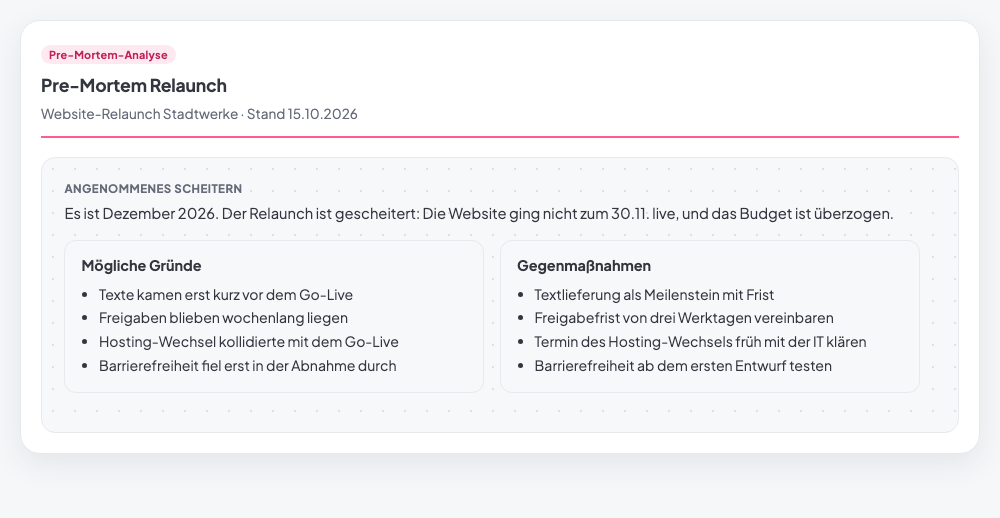 Pro and upRisk
Pretend the project has already failed and find the reasons while you can still change course.
Guide with example →
The toolbox is not a wiki. You fill in each method on your project, save it and print it. Everyone in the project sees it.
Starter: 12 core methods Pro and up: all 102
Pick a method, give it a title, fill it in. The method lives on the project, not in a folder. Everyone in the project sees the current state.

The “Sheet” view shows the method as in a textbook. SWOT as a four-field matrix, risks in the matrix, Ishikawa as a fishbone. With zoom and print.

The method picker shows what fits right now at the top. At the start, say, stakeholder analysis and SMART goals, later risk matrix and RACI, at the end lessons learned.

For SWOT, risk matrix and other risk methods, “Tako pre-fills” adds entries from your project data. Risks you find go into the risk register with one click.

Sorted by group. Methods with a frame already have a detailed guide, more are coming.
also included in Starter
Free for 14 days – with all Business features and all 102 methods. No credit card.
Start for free